Ecosystem and tools
Binary inspection: xresloader-dump-bin
xresloader-dump-bin inspects already exported binary files. It reads protobuf descriptors, displays headers and records, and extracts strings or tagged data. The Rust executable runs after extraction without Java. Get the latest package for your system. This guide was verified with 2.6.0.
Inspect the starter data
Run inside the English starter example directory:
xresloader-dump-bin --pretty -p kind.pb -b output/role_upgrade_cfg.bin
Check xresloader version, data version, data count, hash code, source sheets and records. The count is 3; the second record is:
{ "CostType": 10001, "CostValue": 50, "Id": 10001, "Level": 2 }
The default body uses protobuf JSON field names; proto3 default values may be omitted. --plain --pretty selects protobuf text format. The terminal display includes headers, separators and trailing commas; it is not a directly parseable JSON file.
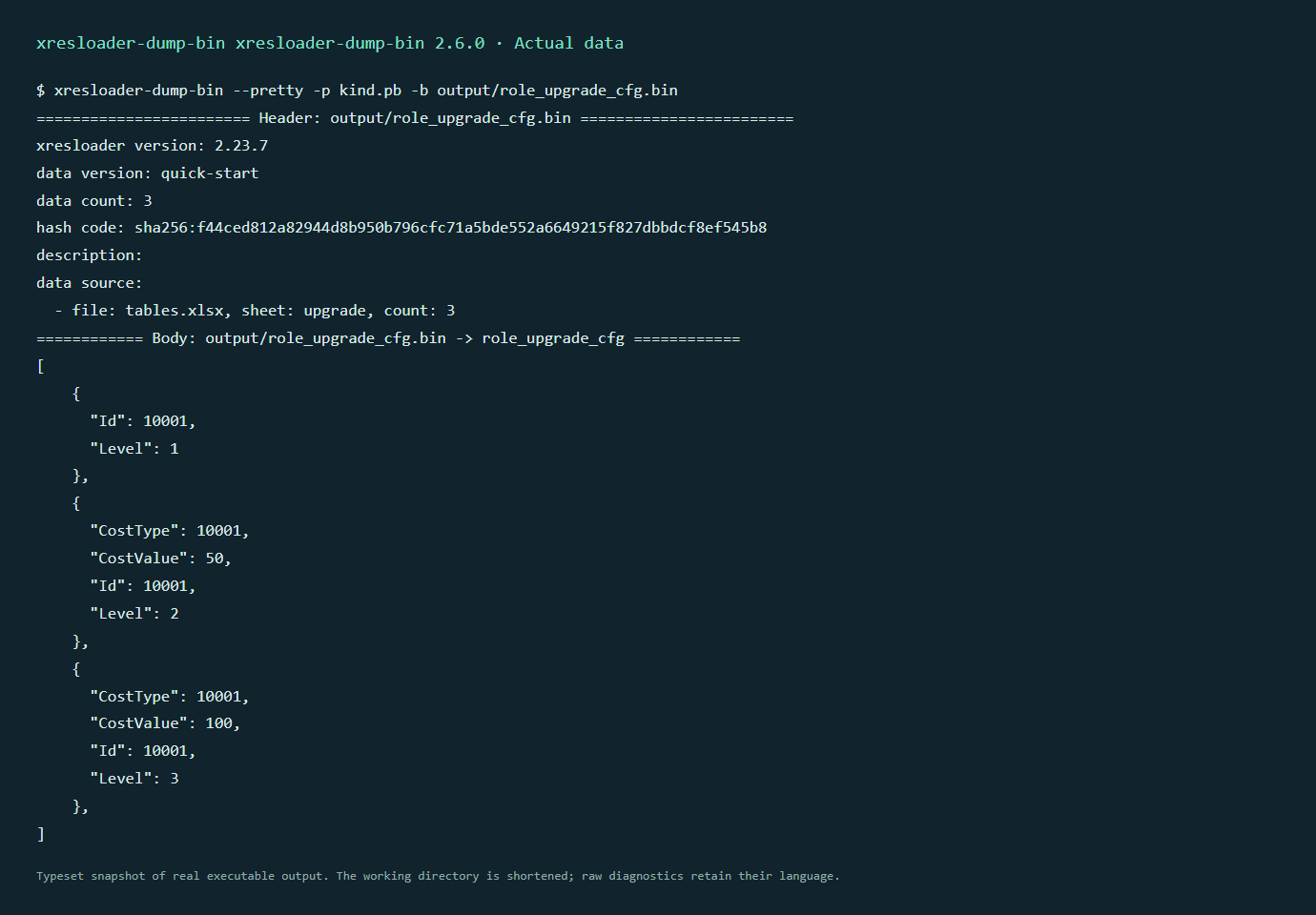
This is a typeset snapshot of actual output. dump-bin diagnostics are English and have no language-switch option in this version.
The historical nested-array example needs the complete upstream sample descriptor:
xresloader-dump-bin --pretty -p proto_v3/kind.pb -b proto_v3/arr_in_arr_cfg.bin
Repeat -p / --pb-file and -b / --bin-file for multiple descriptors and binaries. The bin must contain a valid data_message_type (xresloader 2.6+), and descriptors must cover the record type and dependencies. --head-only displays only the header.
Extract strings and tagged data
xresloader-dump-bin --silence -p kind.pb -b output/role_cfg.bin --output-string-table-json strings.json --string-table-pretty
xresloader-dump-bin --silence -p kind.pb -b output/role_cfg.bin --output-string-table-text strings.txt --string-table-ordered
JSON extraction includes head, body and source information. The English starter body contains Aurora, Jack and Kula; the Chinese starter retains its Chinese names. Text extraction can feed localization tools. Filters support value regexes, field paths and message paths. Run xresloader-dump-bin --help for all options.
For schema fields marked with field_tag or oneof_tag:
xresloader-dump-bin --silence -p project.pb -b config.bin --tagged-field-tags localization --output-tagged-data-json tagged.json --tagged-data-pretty
Replace project.pb, config.bin and localization with actual project inputs. --output-tagged-data-text produces text; --tagged-data-ordered sorts it. See upstream README for value and path filters.
If no output appears
Display content uses info logging. An existing RUST_LOG may filter it. In PowerShell:
$env:RUST_LOG = 'info'
$env:RUST_LOG_STYLE = 'never'
xresloader-dump-bin --pretty -p kind.pb -b output/role_upgrade_cfg.bin
In POSIX shells use RUST_LOG=info RUST_LOG_STYLE=never xresloader-dump-bin --pretty -p kind.pb -b output/role_upgrade_cfg.bin. Redirect terminal output for a readable transcript. Use extraction options for machine-readable data. External text comparison tools can compare results; dump-bin displays and extracts them.
Companion projects
- xresconv-cli and xresconv-gui: batch conversion with shared XML.
- xresconv-conf: complete manifests, includes, events and buttons. See XML configuration for the revised site example.
- xres-code-generator: loaders and indexes for multiple programming languages.
- xresloader-protocol: data wrappers and schema extensions; see Complete loading examples.