GUI scripts and selectors
Scripts execute in separate Node.js workers with access to local modules and processes. Supervision isolates faults; it does not restrict malicious scripts' system access. Load trusted project configuration. The CLI does not execute these extensions.
Events and completion
| Entrypoint | Completion | data lifetime |
|---|---|---|
| set_name | Synchronously modify item_data.name | New context per item |
| on_before_convert / on_after_convert | resolve / reject | Reinitialized per event |
| Named button script | resolve / reject | Shared across successive calls of the same button |
| on_append_log | Synchronously modify data | Shared along the hook chain for one log entry |
Events and buttons must complete explicitly; returning a Promise is insufficient. The default timeout is 30000 ms, configurable from 1 to 2147481647. Timeouts, exceptions and worker exits are logged.
on_after_convert runs only if conversion and preceding hooks have not failed and the run was not cancelled. It is not an unconditional finally cleanup hook.
<gui>
  <set_name><![CDATA[
    if (item_data.file) item_data.name += " / " + item_data.file;
  ]]></set_name>
  <on_before_convert name="Check selection" checked="true" mutable="true"
                     timeout="15000"><![CDATA[
    log_info("Selected items: " + selected_items.length);
    resolve();
  ]]></on_before_convert>
  <script name="Show selection"><![CDATA[
    data.calls = (data.calls || 0) + 1;
    log_info("Button calls: " + data.calls);
    resolve();
  ]]></script>
</gui>
name labels the event toggle, checked sets initial enablement, and mutable controls whether it can change. Selections are fixed at run start; commands are constructed after before-conversion events. Item-field changes affect current commands. Selection changes are available to later events and subsequent runs.
Context and modules
Events and buttons receive work_dir, configure_file, global_options, selected_items, selected_nodes, data, timers, require, log and dialog functions. set_name receives item_data, data, logs and dialogs, without require, resolve or reject.
require resolves relative modules from the configuration directory, checking nearby node_modules before packaged modules. Node built-ins are available. DOM, jQuery, Electron and default console are absent. Use log_info, log_notice, log_warning and log_error.
const path = require("node:path");
log_info(path.join(work_dir, "output"));
resolve();
Tree mirrors
selected_items includes compatibility fields such as id, file, scheme, name, cat, options, desc, scheme_data, tags and classes. item.ft_node and node.data.item retain aliasing within the worker; they do not share UI objects.
Read title, key, tooltip and data; navigate with getTree, getRootNode, getParent, getChildren, visit and getSelectedNodes; inspect isFolder, isSelected, isPartsel, isExpanded and isRootNode; modify with setSelected, toggleSelected and setExpanded. render is callable but does not draw a page. Group nodes have no item data.
Operations update the mirror before committing with the tree version. Migrate DOM-dependent code, dynamic node changes and direct core-field changes. Log-hook trees are read-only. Stale operations and callbacks after cancellation or reload are rejected.
Logs and dialogs
on_append_log can synchronously change data.message, data.module_name and data.style; the original message is retained. Hooks run serially; recursive logs skip hooks. Overload bypasses hooks and reports counts.
alert_error(content, title) shows an error. alert_warning(content, title, options) supports yes, no and on_close. The choice callback runs before the close callback; DOM events are not passed.
alert_warning("Continue conversion?", "Confirm", {
  yes: function () { resolve(); },
  no: function () { reject("Cancelled by user"); }
});
Custom selectors
xresconv-gui --custom-selector selectors.json
Wait for buttons, then open convert.xml in the UI. Loading XML and selectors simultaneously may lose selector wiring in 3.0.0; see FAQ.
[
  {
    "name": "Select upgrades",
    "by_schemes": [{ "file": "tables.xlsx", "scheme": "scheme_upgrade" }],
    "default_selected": false,
    "style": "outline-primary"
  },
  { "name": "Show selection", "action": ["script: Show selection"] },
  { "name": "Refresh buttons", "action": ["unselect_all", "reload"] }
]
by_schemes matches file and optional scheme; by_sheets matches DataSource file and optional sheet. Values support exact text, glob: <pattern> and regex: <pattern>. Invalid regexes report a diagnostic and fall back to text matching. Ordinary selectors with no valid rules leave selection unchanged.
For inline DataSource:
{ "name": "Select inline upgrades", "by_sheets": [{ "file": "tables.xlsx", "sheet": "upgrade" }], "style": "outline-info" }
Both rule types may coexist. file is required; omitting scheme / sheet matches relevant entries from that file. JSON does not allow comments.
| Field | Meaning |
|---|---|
| name | Required button name |
| by_schemes / by_sheets | An ordinary selector needs at least one valid rule group |
| default_selected | Initial selection, default false |
| style | Default outline-secondary; primary / secondary / success / danger / warning / info / light / dark, including outline variants |
| action | Ordered special actions; rules are optional for action-only buttons |
Actions execute select_all, unselect_all, reload and script: <name> in order. reload rereads selectors and rebuilds buttons, without reloading XML. Failure or reject stops the chain. Button names should be unique; rebuilding reinitializes data.
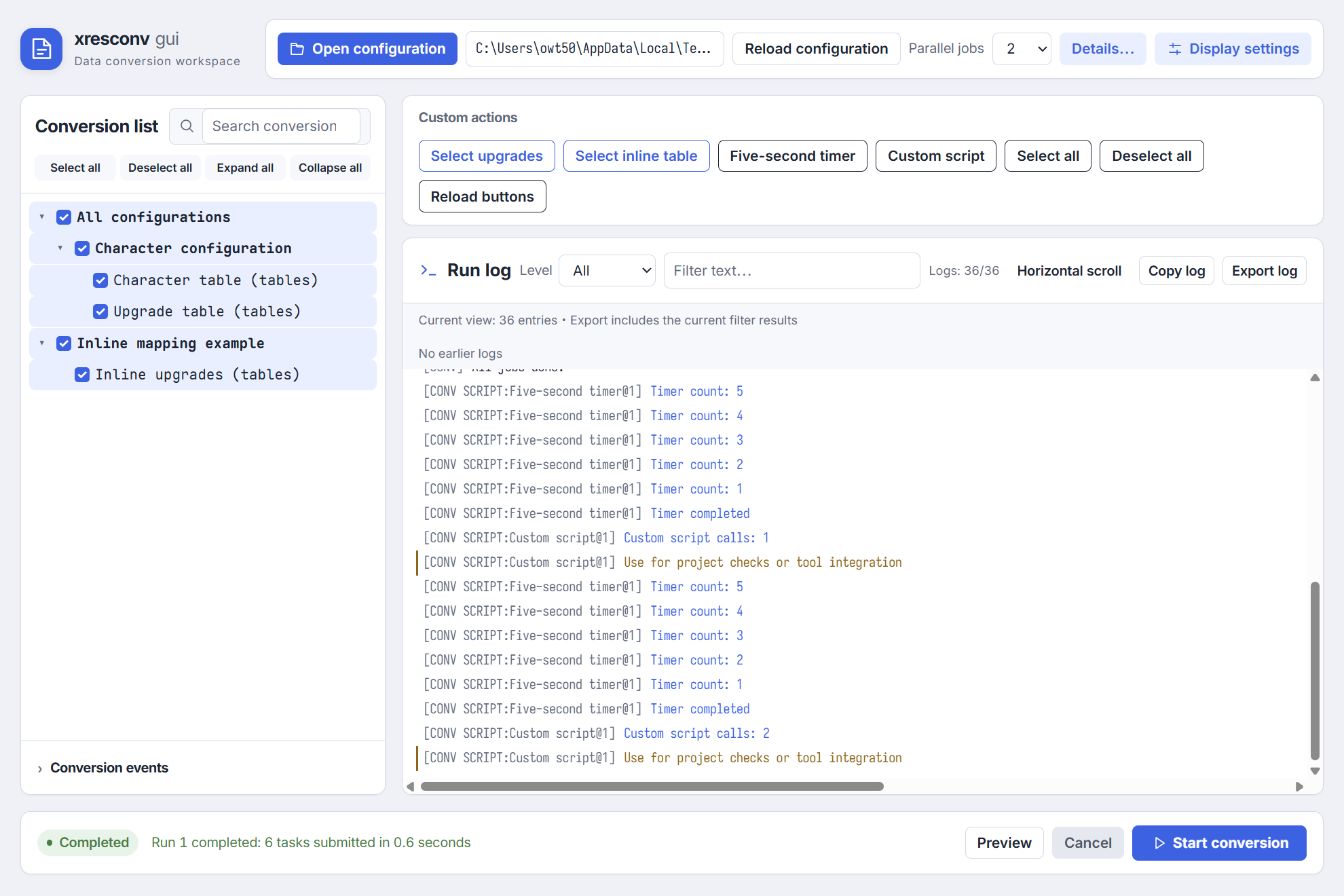
The complete sample.xml and sample_include.xml retain filename-based naming, subprocesses, after-conversion dialogs, five-second timers and button counters. The timer resets data.running when complete so it can run again. The English ZIP contains seven matching buttons. Events provide xresloader_path and run_seq; named buttons provide xresloader_path; set_name accesses items through item_data. Dialog callbacks do not receive DOM events.
The app preserves script names and dialog text. These examples explicitly provide English strings; changing the app language does not translate project scripts.
Use the upstream invocation schema for the complete context, and Development architecture for interfaces.