Excel conversion engine
xresloader
Map and validate spreadsheets against schemas; export protobuf, MsgPack, Lua, JavaScript, JSON, XML and UE DataTables.
Checking the latest stable release…
Download latest release ↓XRESLOADER TOOLCHAIN
Convert Excel workbooks into structured game configuration.
Map and validate fields against schemas, convert batches with the CLI or GUI, and generate data loaders.
Ready-to-use Excel, schema and XML · No protoc needed to get started
xresconv-cli -p 1 convert.xmlUse the CLI in pipelines and select tables interactively in the desktop app.
Components
Excel conversion engine
Map and validate spreadsheets against schemas; export protobuf, MsgPack, Lua, JavaScript, JSON, XML and UE DataTables.
Checking the latest stable release…
Download latest release ↓CLI batch converter
Convert workbooks from XML manifests, preview tasks, control concurrency and integrate with build pipelines. Native Rust; no Python required.
Checking the latest stable release…
Download latest release ↓GUI batch converter
Select tables, preview and convert batches on the desktop, follow logs and progress, and connect project events and buttons.
Checking the latest stable release…
Download latest release ↓Binary data inspector
Inspect exported bin files using descriptors, check headers and records, and extract strings or tagged data.
Checking the latest stable release…
Download latest release ↓Data loader generator
Generate loaders and indexes for C++, C#, Go, Lua, upb, lua-protobuf and Unreal Engine.
Checking the latest stable release…
Download latest release ↓Batch configuration and extensions
XML manifests, includes, groups, output rules and examples of GUI events and custom buttons.
Checking the latest stable release…
Download latest release ↓Data headers and schema extensions
The bin wrapper and protobuf custom options for loading, validation and code generation.
Checking the latest stable release…
Download latest release ↓Choose the package for your system on the latest release page. Projects without a stable release offer their current source.
Game configuration
A Java engine, native Rust CLI and Tauri GUI work together on Windows, macOS and Linux. Designers and build pipelines use the same manifests.
Read the guide and examplesExport protobuf, MsgPack, Lua, JavaScript, JSON, XML and Unreal Engine DataTable JSON / CSV for clients and servers.
Read the guide and examplesUse proto2 / proto3, nested messages, repeated fields, oneof, map and in-cell Plain structures to describe your data model.
Read the guide and examplesExport schema enums, constants and descriptors as Lua / JavaScript code or JSON / XML data, with custom options for reflection.
Read the guide and examplesField and enum aliases, macros, ranges, cross-table references and composed validators catch input errors during conversion.
Read the guide and examplesMerge Excel sources, map field names with regular expressions, select ranges and transpose data. Schema options control export behavior.
Read the guide and examplesChoose cached or explicitly evaluated formulas, trim or retain empty data, set data versions, and filter outputs by format, directory and tags.
Read the guide and examplesIntegrate with C++, C#, Go, upb, pbc or lua-protobuf. Lua supports global / require / module; JavaScript supports global / Node.js / AMD.
Read the guide and examplesExport UE DataTables and generate loaders. Connect project tools through GUI events, custom buttons and Node.js scripts; inspect binary data with dump-bin.
Read the guide and examplesQuick start
The example includes Excel workbooks, schema descriptors and XML manifests, with bin and JSON outputs.
The quick start covers conversion, data checks and loading.
Install Java and the xresloader JAR, then choose the CLI or GUI.
One XML manifest connects workbooks, schemas and outputs.
Compare with Excel, inspect bin files, and use the sample loaders for JSON or protobuf.
XRESCONV-GUI 3.0
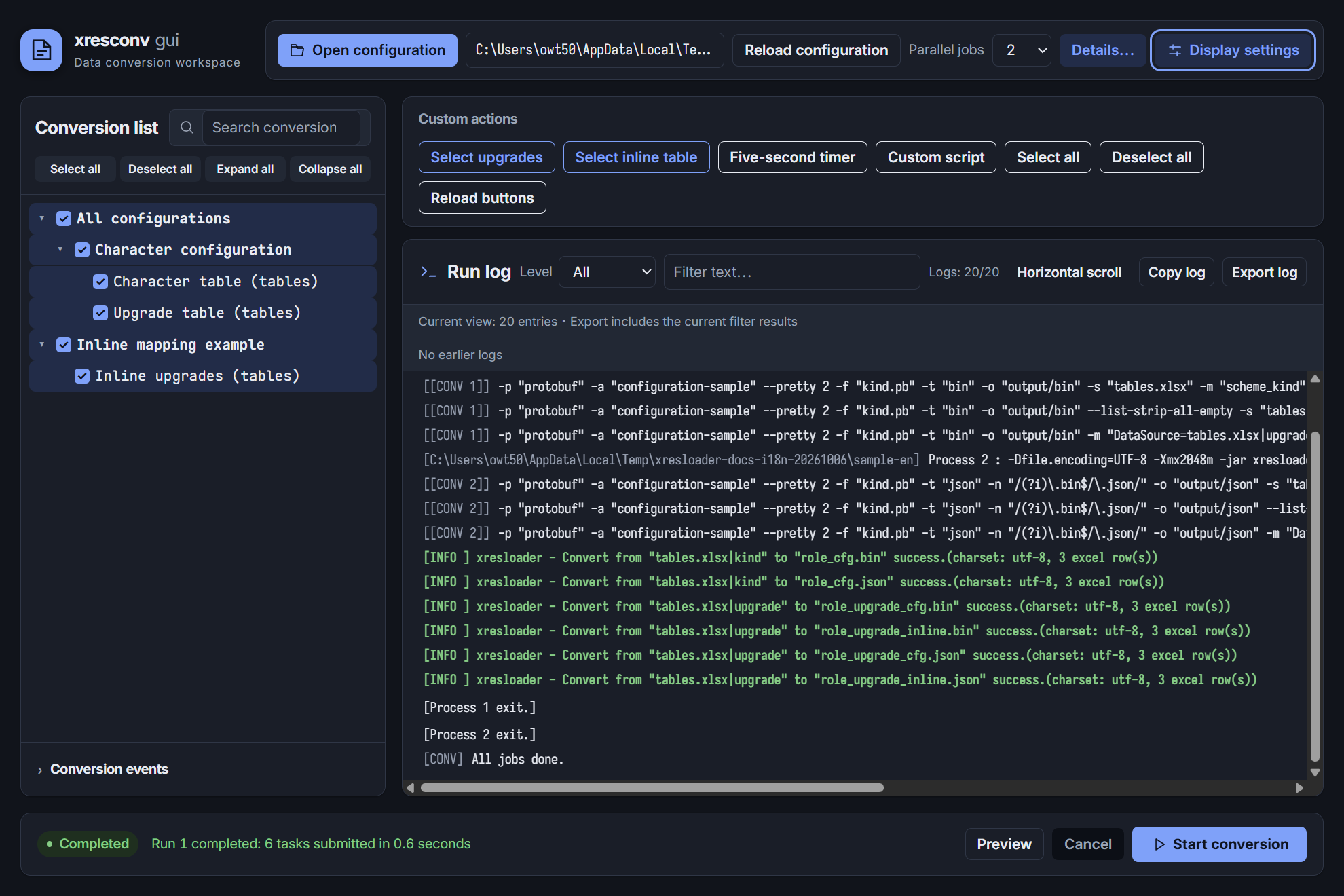
Select entries in a tree, configure output formats, and inspect conversion progress and logs. Filter logs or cancel a running conversion.
Explore the interfaceConnect project scripts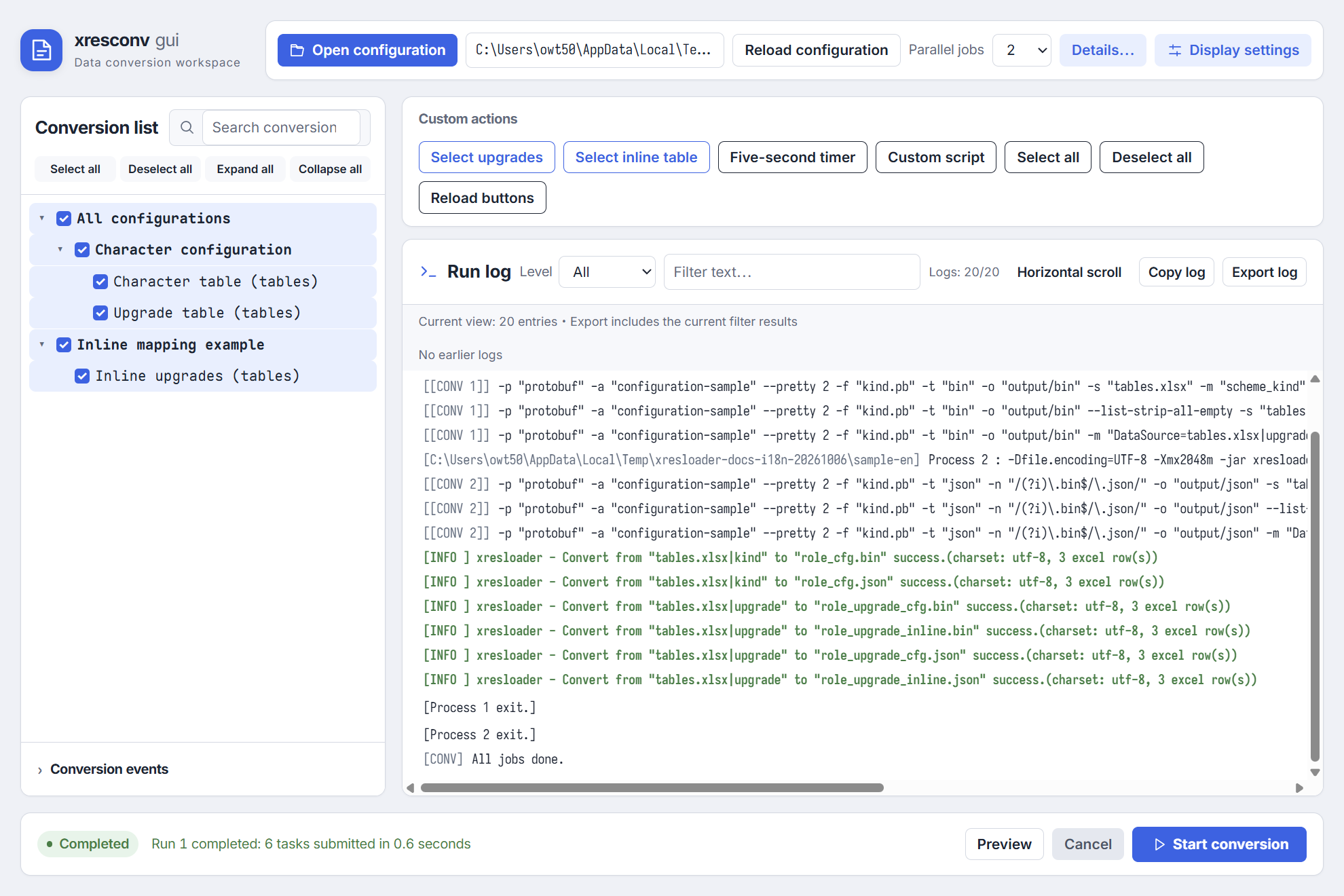
XRESCONV-CLI
Preview the commands for an XML manifest with --test. Run the same manifest to export bin and JSON files; the exit status and logs report the result.
xresconv-cli --test -p 1 convert.xml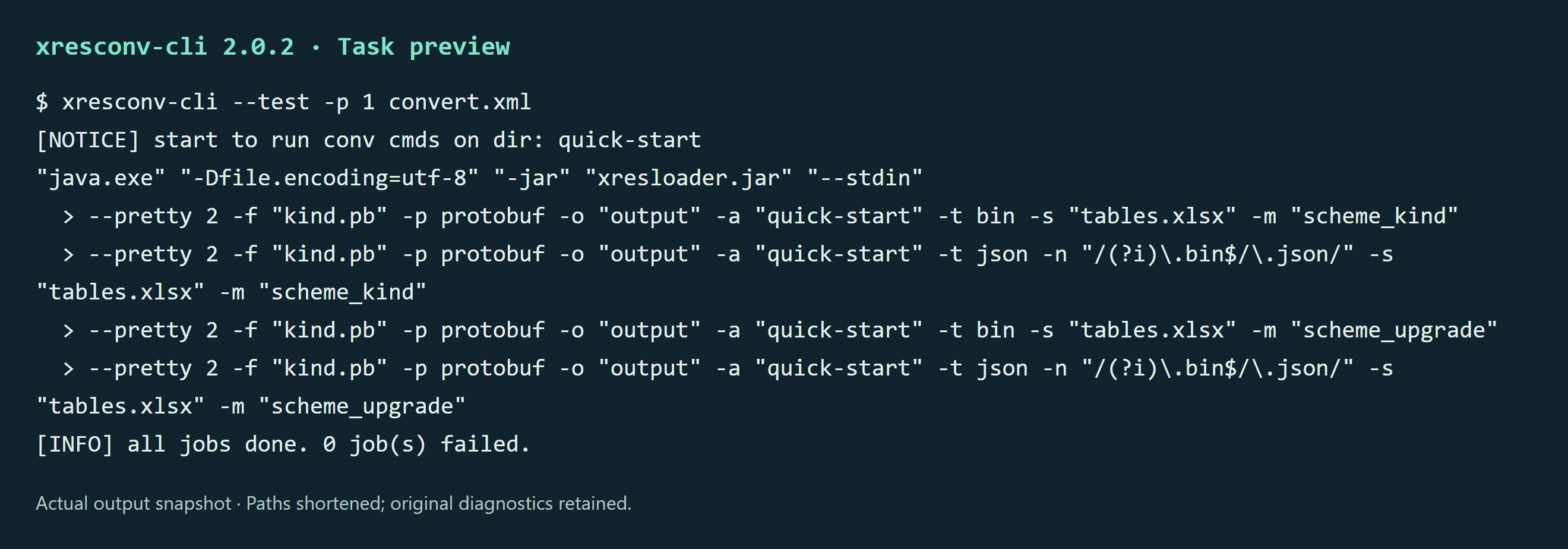
xresconv-cli -p 1 convert.xml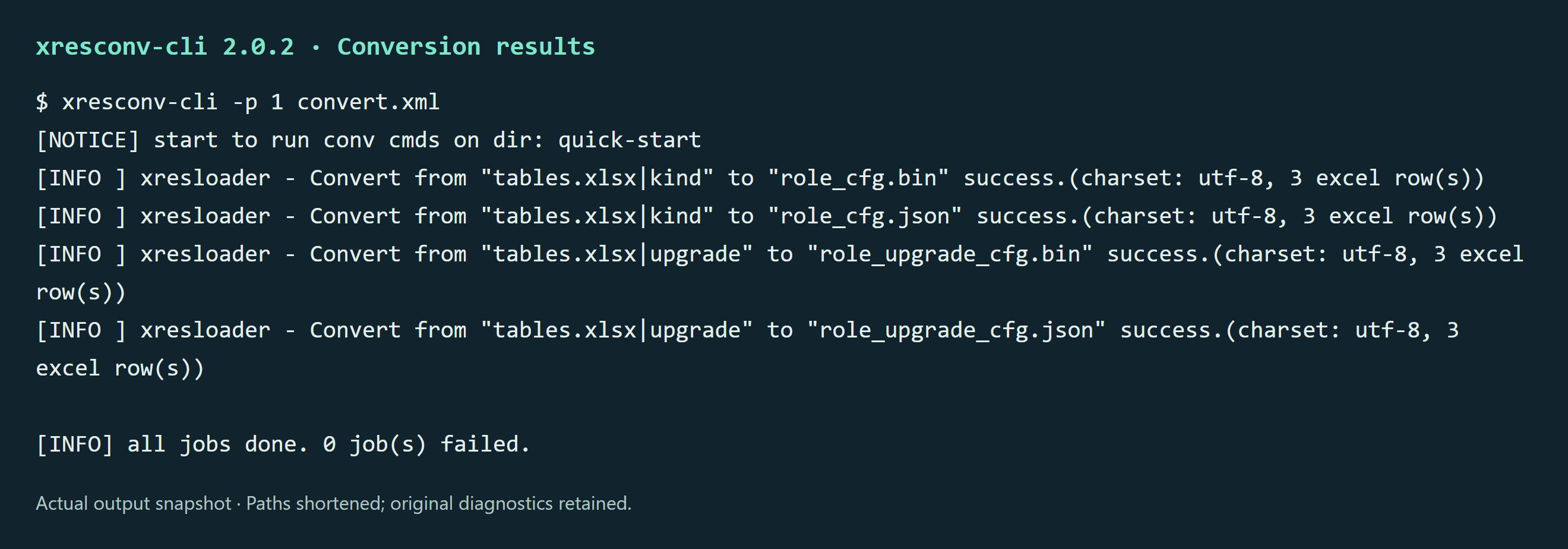
Technical reference